Email capture
See the feature page: email capture.
A follower on a platform is rented. An email address is yours. One block collects them, and the same block can hold the rest of your page behind that ask. Both are on the free plan.
The block
Add a Connect block of type Email capture. It needs nothing to work, so it publishes straight away, with the title "Join the list" until you change it.
Visitors see your title, one email field, and a Join button. When someone signs up the block switches to a confirmation and stays that way on their device, so they are not asked twice on their next visit.
Put it wherever it earns its place: near the top if the list is the point, or after the links people came for. There is nothing stopping you having more than one, and two blocks with different titles is how you tell later who joined for what: the block's title becomes the group everyone it collects lands in. See groups.
Making it a gate
If you would rather ask before anything else, open the block and turn on Require before viewing content.
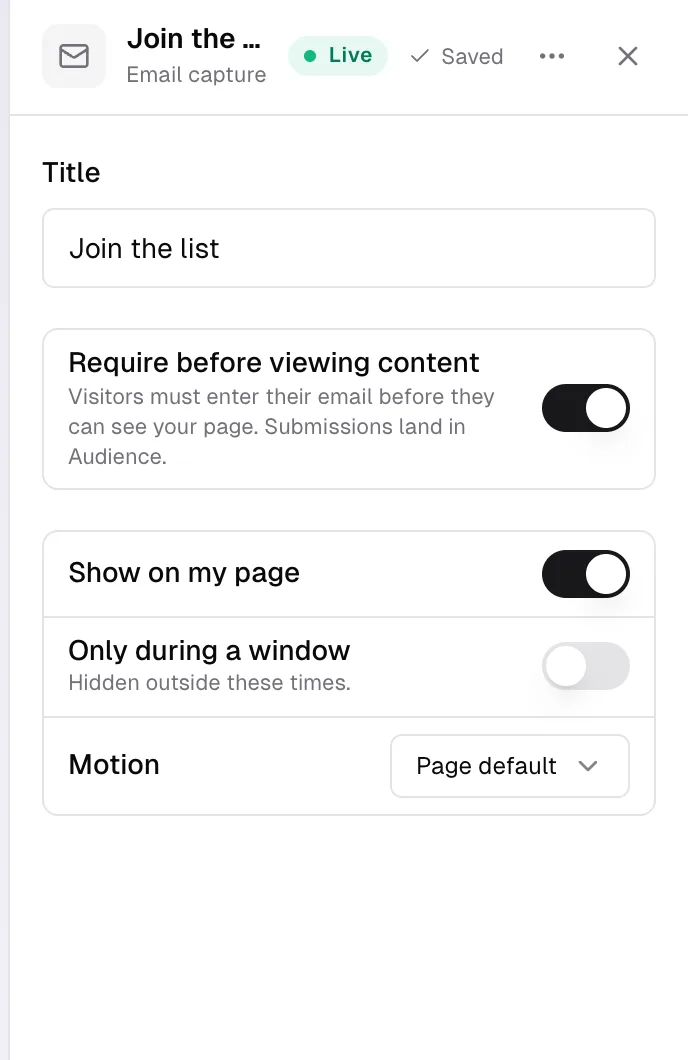
The line under the switch says what it does: "Visitors must enter their email before they can see your page. Submissions land in Audience."
The switch lives on the block rather than in Settings on purpose. One block carrying it says both things at once: this is what collects, and this is what visitors have to answer first. If the block is hidden while the switch is on, the panel tells you the gate is doing nothing until you show it again.
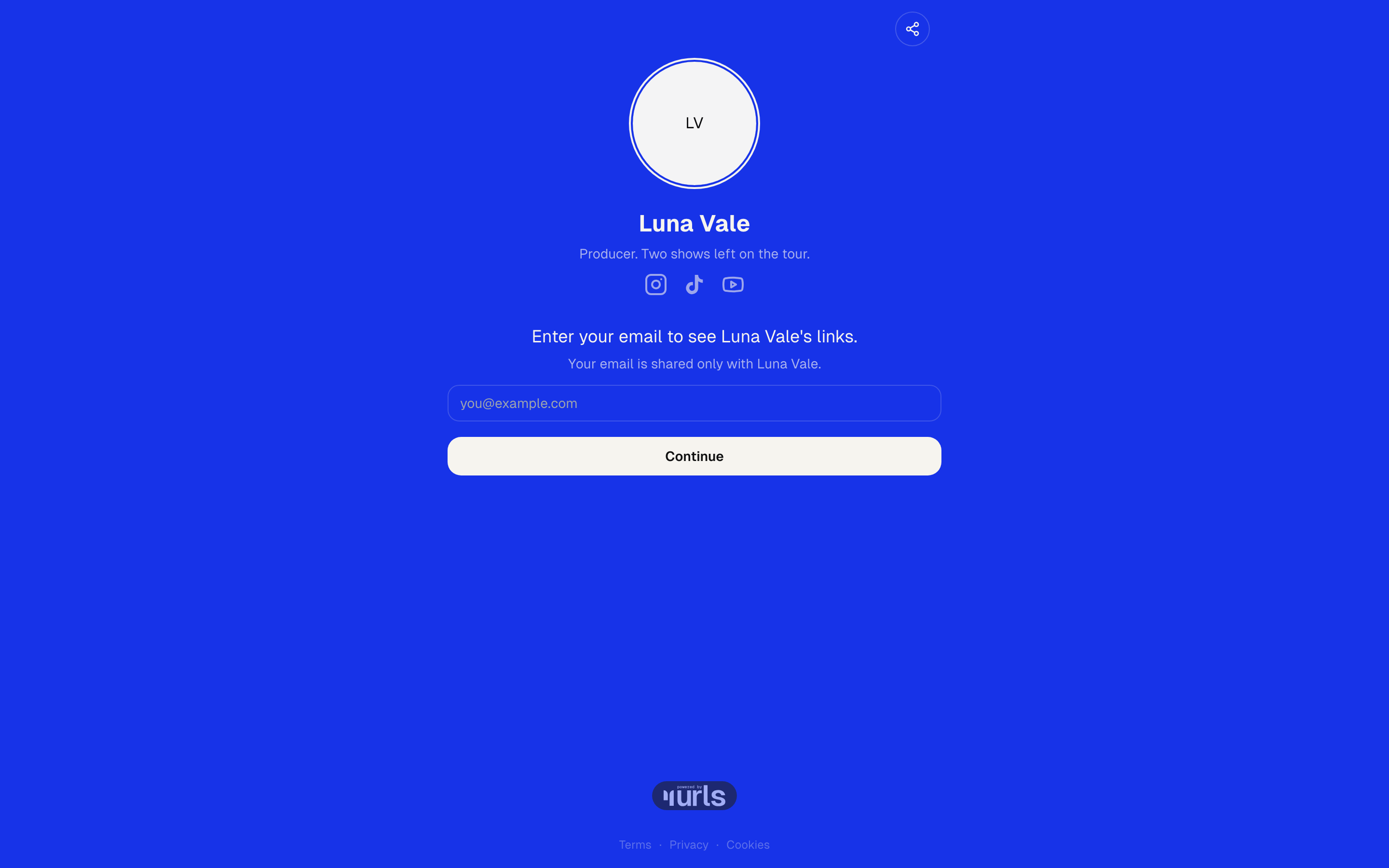
Visitors then meet a single prompt with your name in it, "Enter your email to see Robert Paulson's links.", and under it "Your email is shared only with Robert Paulson.". One field, placeholder you@example.com, and a Continue button. Once they enter an address the page opens and stays open on that device for three days.
This is a harder ask than the inline block. It gets more addresses per visitor and fewer visitors past the door. Which way that trade falls is worth watching in analytics, where views and subscribers sit on the same chart. You are never gated out of your own page.
The gate is the demo page's own setting, so urls.bio/demo shows you exactly what a visitor meets.
Only one gate shows at a time. If you also have a contact form set to run before the links, or any block with the 18+ switch on, the email gate comes first, then the form screen, then the age confirmation.
Two gating blocks on one page is still one gate. The first one wins.
What happens to the address
The address and the date. Nothing else: no name, no IP address, no record of which link they came from.
An address that arrives is Confirming, not subscribed. urls.bio emails it a confirmation link, subject "Confirm your subscription to Your Name", and only when that link is tapped does the address join your list. The page says as much on the spot: "Check your inbox to confirm."
That step matters more than it looks. It is what keeps somebody else's address off your list, and it is what keeps your newsletter out of spam folders, because a list of people who each said yes twice is a list that inboxes trust.
The moment somebody confirms, three things can happen: they move to Subscribed in audience, your welcome email goes out if you have one, and any integrations you have connected fire.
If the same address is submitted twice, the second one is quietly ignored rather than duplicated, and the visitor still gets through the gate.
Submissions are rate limited on the server: thirty an hour from one visitor, and five an hour from that visitor to any one page, so nobody can bulk-fill your list from a script.
Where subscribers land
The Audience tab, with their state and the date they arrived, searchable and exportable in one click. See audience.
Replies to a contact form block, if you use one, are listed separately below as form replies.
Do I own my list?
Yes. It is your list, it exports in one click as plain CSV, and you can take it anywhere without asking us. urls.bio never emails your subscribers on its own behalf, and it never shares them with anyone but you.
Quizzes
Add one from the block list: search Quiz, or find it on the Connect shelf. It arrives as a contact form already set to ask one question at a time, with its first question waiting, and it calls itself Quiz wherever it appears in the Studio.
A form you already have can become one too: open it and set How it asks to One at a time.
Every multiple-choice field becomes a question. Text and email fields stay where they are and are not asked as questions.
Results. Write your questions first, then scroll to Results underneath them. A result is the ending a visitor gets: give it a title for what they see, and optionally a link for where its button sends them. Up to four.
Then, under Point each answer at a result, choose which result each answer counts towards. Whichever result collects the most answers is the one the visitor sees, and a tie goes to whichever you listed first. An answer set to Counts for nothing is still recorded as a tag, it just does not score.
It tallies rather than branches on purpose. A branching quiz means holding the whole tree in your head and re-checking every path each time you add a question. Tallying is one rule you can explain in a sentence, and it gets you the same thing.
What it is actually for. Every answer lands in Audience as a readable tag, like "Shooting on: Mirrorless", along with the result they got. That means your next newsletter can go to just the people who answered a particular way. The result card is what makes somebody answer; the tags are the reason to run one.
A quiz can also stand in front of your page, with the same Show before my links switch a form uses.
Common questions
Does turning the gate off delete anyone? No. The switch only decides what new visitors meet. Everything already collected stays in Audience and in your export.
Where did the Collect emails setting in Settings go? It is the Require before viewing content switch on the email capture block. That way the switch and the thing that collects are the same object, and a page cannot be gated with nothing behind the gate.
Someone says the page keeps asking for their email. The confirmation is a cookie on their device, tied to your page and lasting three days. A different browser, a private window, or cleared site data means a fresh ask.
Somebody signed up but is not on my list. They are on Confirming until they tap the link in the confirmation email, "Confirm your subscription to Your Name". Check the spam folder before anything else.
Do I have to tell people what I will do with their address? urls.bio tells them it goes only to you. Anything beyond that, including how you will use it, is yours to say, and worth saying in the block title.