Motion
See the feature page: block animations.
Blocks can move as a visitor scrolls to them. Ten animations, two kinds, one setting for the page and one for any block that wants something else. Motion is off until you turn it on, and it stays off for anyone whose device asks for less of it.
The two kinds
A reveal animates the block in from nothing. The block is not there, and then it is.
- Fade. Opacity only. Nothing moves.
- Rise. Fades in while lifting a short distance from below.
- Cascade. Like Rise, but each block waits a little longer than the one above it, so they arrive one after another instead of together.
- Scale. Fades in while growing slightly to full size.
- Blur. Arrives soft and sharpens as it settles.
- Slide. Comes in from the side, alternating: one block from the left, the next from the right.
An emphasis leaves the block where it is and plays one gesture when it comes into view.
- Wiggle. Rocks side to side and settles.
- Pulse. One swell in size and back.
- Bounce. Two hops.
- Shake. A short horizontal judder.
Every one of them fires once, when about a third of the block is on screen. Scrolling back up does not play it again.
The page default
Open the Design panel and scroll to Motion. The one control there sets what every block on your page does.
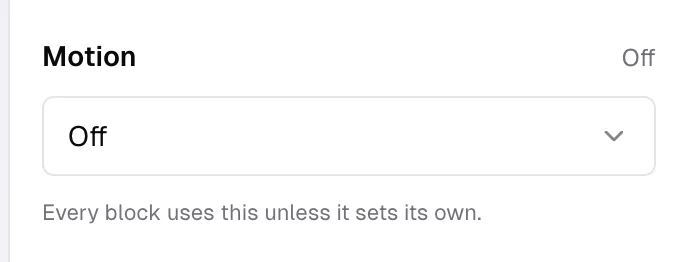
The line under it says the rest: "Every block uses this unless it sets its own." It is a page setting rather than a bulk edit, so a block you add next month inherits it too.
Off is the default, and it is what an untouched page has.
One block at a time
Every block that is not inside a group has a Motion row in its settings.
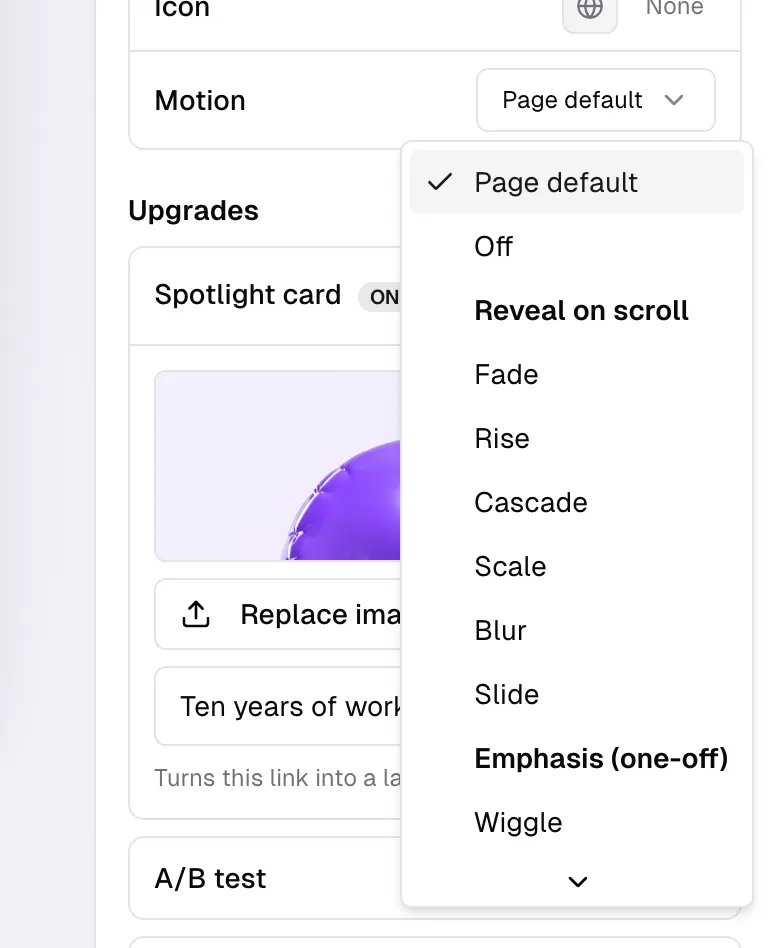
It offers Page default first, then Off, then the six reveals under Reveal on scroll and the four gestures under Emphasis (one-off).
Page default and Off are not the same thing. Page default follows whatever the Design panel says, now and whenever you change it. Off means this block sits still whatever the page says.
Blocks inside a group do not get the row. The group animates, and its children come with it.
Reduced motion
If a visitor has asked their phone or computer for reduced motion, none of this runs for them. They see every block in its finished state, in place, immediately. Nothing is hidden from them and nothing fades in half way; your setting is simply ignored on that device.
That is the whole accommodation. There is no separate reduced setting for you to pick.
What to use it for
Motion is punctuation, not decoration. A page where every block bounces is a page nobody reads.
Rise or Fade across a whole page is the quiet choice, and Cascade is the same idea with the blocks arriving in order, which suits a long list. Emphasis is worth one block: the one you want people to notice, once, on the way past.
Common questions
Why is nothing animating? Check the page default in Design, then the block's own Motion row, which may be set to Off. After that, check whether reduced motion is switched on for your device, because that overrides both.
Does it play every time somebody scrolls past? No. Each block plays once per page load, the first time it comes into view.
Can I make it slower or faster? No. There is one speed, chosen so a reveal reads as arrival rather than as a wait.
Does motion slow my page down? No. It runs in the browser on blocks that are already there, and nothing extra is downloaded for it.
Can I animate my name or my avatar? No. Motion is for blocks. The page header is always simply there.