Settings
Everything about the account rather than the page: who you are, where your page lives, what we email you, and how to leave. Settings is the last item in the dashboard sidebar.
Profile
Your name, your handle, your bio, and your avatar.
Change Avatar takes a JPG, PNG, GIF, or WebP and lets you crop it before it saves. Name is what sits at the top of your page. Bio is the line or two under it, up to 200 characters, with a counter.
URL is your handle, shown as urls.bio/ and then the field. Letters, numbers, and underscores, three characters or more. Changing it asks first, and the question is worth reading:
Your page will move to urls.bio/newname. The old address, urls.bio/oldname, will stop working immediately, and anyone holding the old link will see a not-found page.
There is no redirect. See sharing.
Page
How your page appears in search results, and what sits in its footer.
- Page title and Search description are what search engines and link previews show. Both are Pro; on Free they are visible with a lock, and the fields are switched off.
- Hide urls.bio badge removes the Powered by urls.bio footer. Also Pro.
Clicking any of those locks opens the plans panel with the reason on it, so you always know what you are being asked to pay for.
Page passcode
Pro. Put your page behind a password: visitors see your name and a passcode field until they have it, and you are never asked for it on your own page.
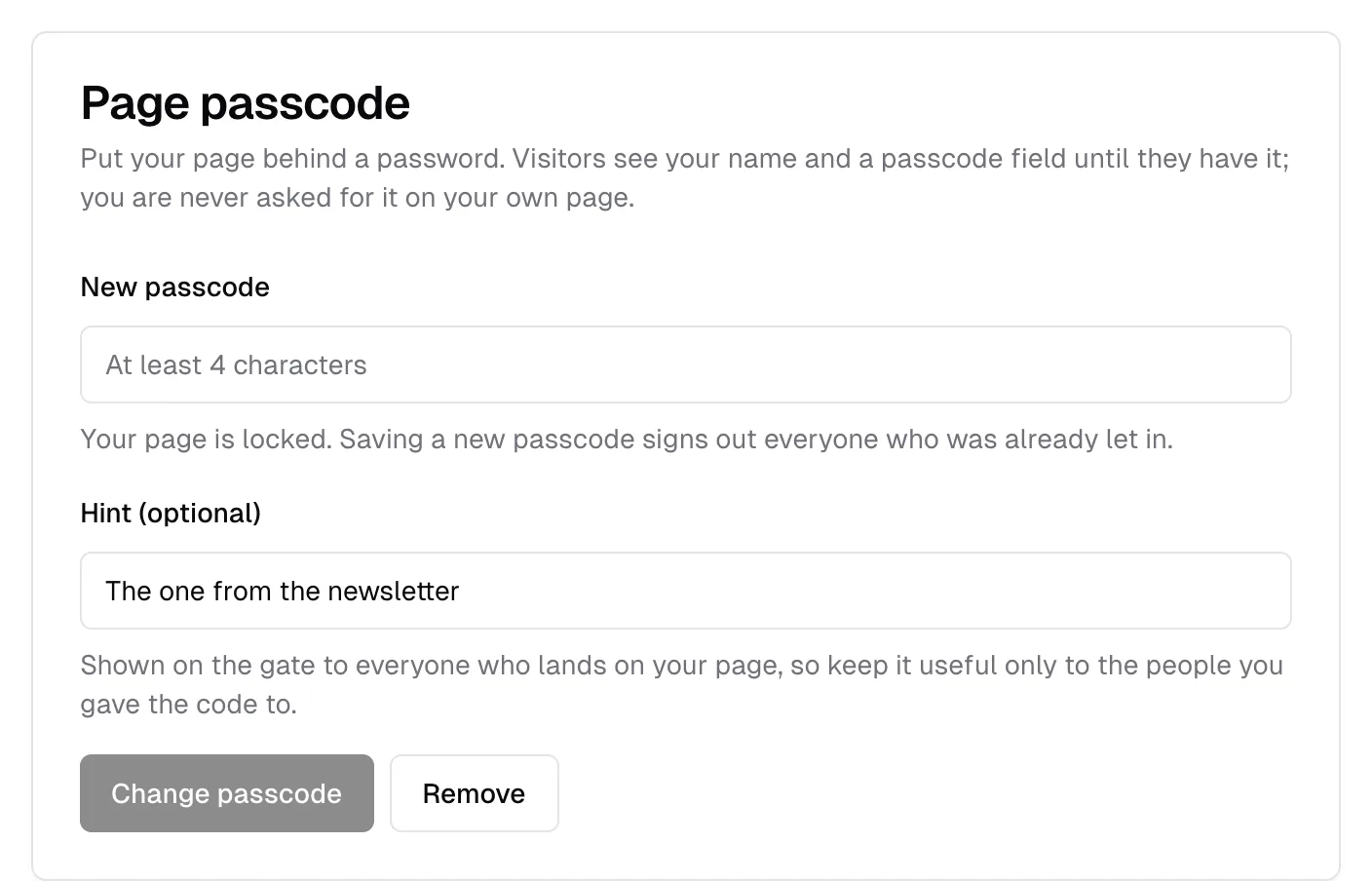
Type a passcode of at least four characters and press Save. Once one is set the field reads New passcode, and the line under it says "Your page is locked. Saving a new passcode signs out everyone who was already let in."
Hint (optional) is shown on the gate to everyone who lands on your page, so write it for the people you gave the code to and not for strangers. "The one from the newsletter" is a good hint; the passcode itself is not.
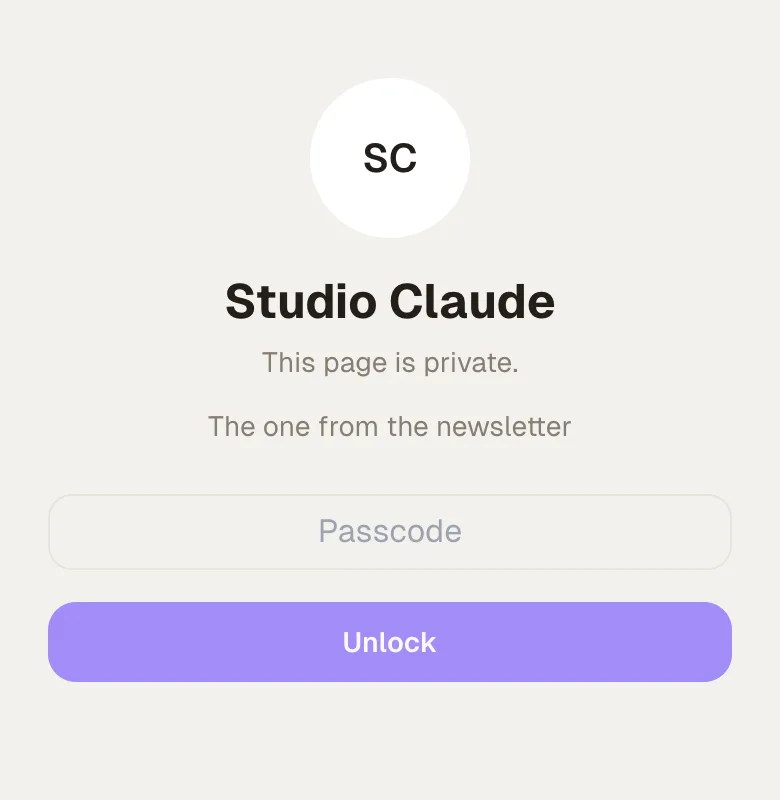
Remove takes it off immediately, with no confirmation, and works on any plan. If Pro lapses while a passcode is set, the page opens rather than trapping your audience behind a gate you can no longer manage. The full behaviour is in sharing.
Custom domain
Pro. Serve your page from a domain you own. You add one DNS record at your registrar, and the certificate is issued for you.
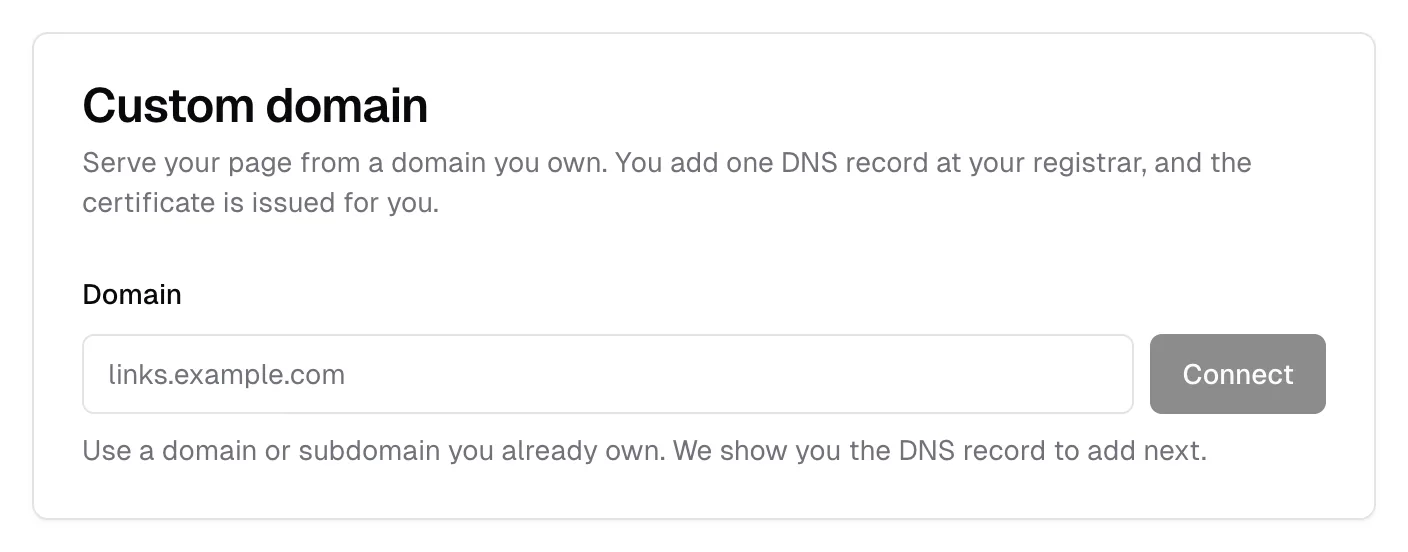
Type the domain and press Connect. The card then lists the DNS records to add, with Type, Name, and Value and a copy button on each. Add them at your registrar and press Refresh. The status line reads "Waiting for DNS: add the record above" until they resolve, then "Connected".
Remove asks first, then takes the domain off immediately. Your page stays at urls.bio/yourname throughout. The full walkthrough is in sharing.
Emails
One switch, and the sending address behind your newsletter. Pro only: on the free plan there is no switch here at all, just a line saying so and a link to the plans, because turning it on builds real sending infrastructure. Turning it on asks for a sender name, a postal address, and a reply-to, then builds you a sending address in about fifteen minutes.
The chip beside the label says where it stands: nothing at all when it is off, then Pending, then Active with the address under it, or Failed with a Retry button. See turning Emails on.
Under it, once the address is active, a Sending card shows what your plan includes and what an add-on would add.
Notifications
Which emails urls.bio sends you about your own page, and, if you use the iPhone app, which of its push notifications. Four switches, all on until you turn them off, each saving as you flip it:
- Weekly digest. A Monday summary of your views, clicks, and new subscribers, as an email and, on the app, a notification. Quiet weeks send nothing.
- First subscriber. The one time someone first joins your list.
- Milestones. 10, 100, and 1,000 subscribers.
- Occasional nudges. Things your page could be doing and is not. At most one a week.
The app also notifies you of a new subscriber and of the first click on a block you published that day; those follow the phone's own notification permission rather than a switch here. Sign-in links, password resets, receipts, the note that your account has been verified, and anything else about your account are not covered by these switches and arrive either way. The Stop link at the bottom of any of those emails turns off the same things without your having to sign in.
Plan and billing
The card says which plan you are on before you open anything. Manage plan and billing opens the plans panel; on Pro it goes on to the Stripe billing portal, where you change your card, switch between monthly and yearly, or cancel. See plans and billing.
Account
Your Email Address is shown and cannot be edited here; it is what you sign in with. Under it, two fields and an Update Password button set a new password, eight characters or more.
The 18+ gate
There is no adult-content switch in Settings, because it is not a property of the account. It is a per-block switch, Ask visitors' age first, on link, embed, and image blocks in the Studio. Turn it on for one block and the whole page is held behind one confirmation, remembered on that visitor's device for three days. See blocks and links.
Deleting your account
The last card is Danger Zone, and Delete Account does what it says. It asks first:
Are you sure you want to delete your account? This action cannot be undone and will permanently delete your account and all associated data.
Confirming signs you out and takes your page down. Your handle goes back into circulation. Export your audience first if you want to keep the list, because it goes with everything else.
Common questions
Can I change the email I sign in with? Not from here. The field is read only.
Does changing my handle change my link preview or my QR code? The preview redraws itself. Any QR code you have already printed encodes the old address and stops working, so regenerate it. See sharing.
I turned a notification off and still got one. Check what it was. Sign-in links, password resets, and receipts are not covered by those switches, and neither is anything a creator you subscribed to sent you.
Where is the setting for collecting emails? On the email capture block, not in Settings. It is called Require before viewing content. See email capture.
If I delete my account, does my list get deleted too? Yes, along with everything else. Export it first.