Integrations
New subscribers can land in the tool you already work in. Integrations are a Pro feature and live in the Integrations tab of the dashboard.
Every integration fires on one event: somebody confirms their address, having submitted it through the email capture block or the gate. Not when they type it in, when they confirm it, which is the moment they actually join your list. There is no scheduled sync and no backfill, so connecting a provider today does not push the subscribers you collected last month. Repeat submissions of an address you already have are ignored and do not fire again.
Fields save when you click away from them. Credentials are stored against your account, read only on the server, and never sent to your public page.
On the free plan
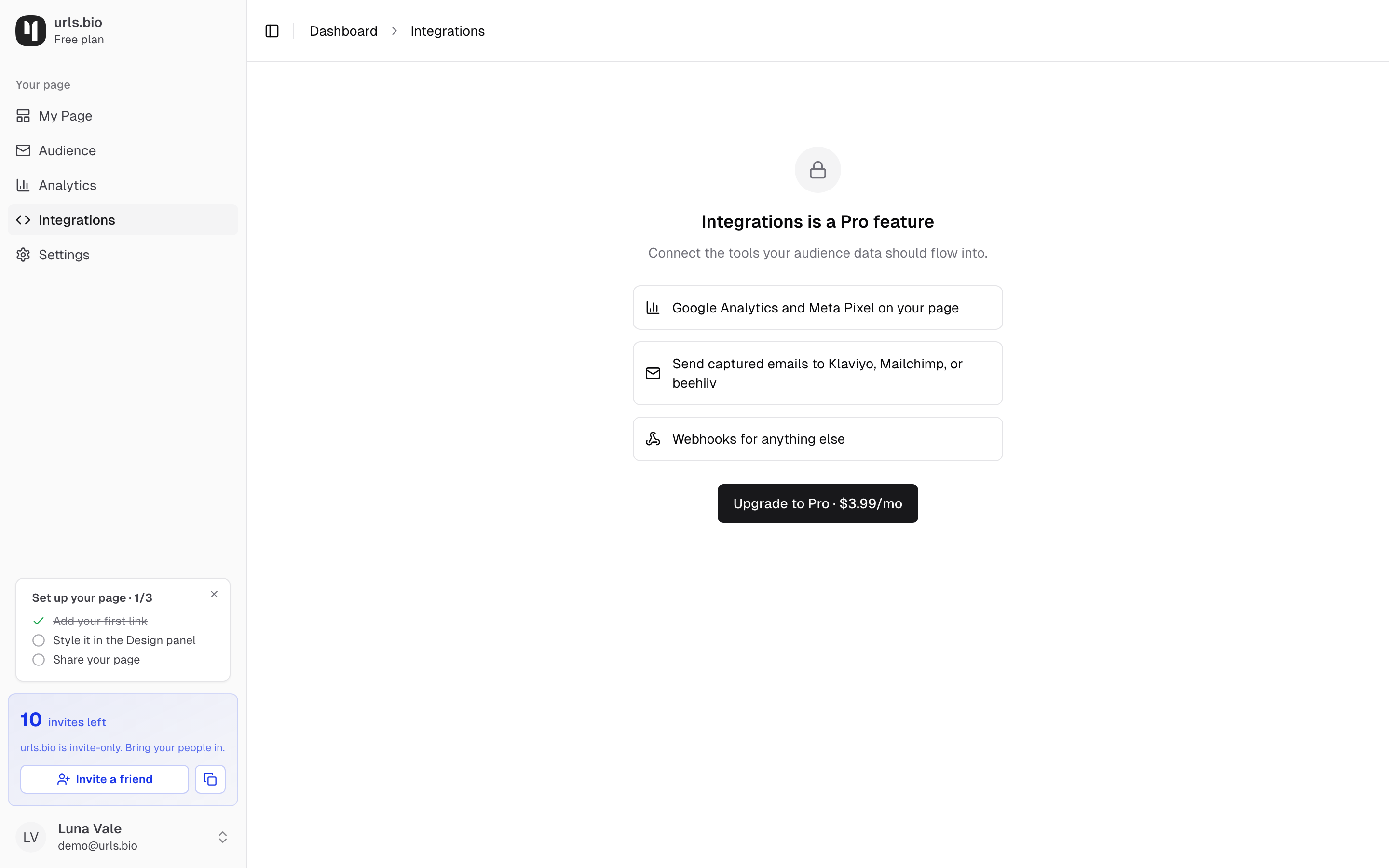
Open the tab without Pro and you get the summary rather than the fields: Google Analytics and Meta Pixel on your page, sending captured emails to Klaviyo, Mailchimp, or beehiiv, and webhooks for anything else, with an upgrade button under them. The fields themselves appear as soon as the plan changes.
Klaviyo
Two fields:
- Klaviyo private API key. Create it in Klaviyo under account settings.
- List or segment ID. The id of the list you want new addresses added to.
On each confirmation urls.bio creates the profile in Klaviyo with a source property of urls.bio, then adds that profile to the list you named. Both fields are needed: leave either blank and the integration sits idle.
Mailchimp
Two fields:
- Mailchimp API key.
- Audience ID. Mailchimp calls it an audience; the field wants that id.
There is no data centre field. Mailchimp keys carry their data centre on the end, after the hyphen, and urls.bio reads it from the key itself.
Subscribers are added with a status of subscribed, which means Mailchimp sends no confirmation email of its own. They have already confirmed once with you, so a second round trip would only lose people. Each one arrives with a SOURCE merge field of urls.bio.
beehiiv
Two fields:
- beehiiv API key.
- Publication ID.
Subscribers are created against that publication with a UTM source of urls.bio and a UTM medium of integration. beehiiv's welcome email is not triggered, and existing subscribers are not reactivated.
Webhooks, and Zapier
One field, webhook URL, which has to be a public https:// address. Anything else is rejected before it saves.
This is also how Zapier connects. Start a Zap with the webhook trigger, copy the catch hook URL it gives you, paste it into this field, then subscribe on your own page once so Zapier has a run to map the fields from. From there the address can go anywhere Zapier reaches: a spreadsheet, a CRM, a Slack channel.
Each confirmation sends a POST to that URL:
{
  "event": "email_submission",
  "data": {
    "profile": "yourname",
    "email": "someone@example.com",
    "timestamp": "2026-08-23T10:04:11.000Z"
  }
}
The request carries an X-Webhook-Signature header holding an HMAC-SHA256 of the exact body, so your endpoint can prove the call came from urls.bio rather than from someone who guessed your URL. Verify it against the body bytes before you trust the payload.
If your endpoint returns a 5xx or the connection fails, urls.bio retries three times, backing off about two seconds, then four, then eight. Any other failing status is not retried, so a 400 from your own validation is the end of it.
A working endpoint should answer quickly and do its real work afterwards. Nothing on your page waits for it, but a slow endpoint is a slow endpoint.
When something does not arrive
A failing integration never breaks the signup. The visitor still sees their confirmation and the address still lands in your audience, whatever your email tool does with it.
That also means a wrong key fails quietly. There is no error in the dashboard, no red mark on the field, no email telling you, and no retry queue to inspect. So the one habit worth having is this: connect the integration, then submit a test address on your own page from a different browser or a private window, confirm it from that inbox, and check it arrived on the other side. Do that once per provider and you never wonder again.
If a batch of addresses did not make it across, export the CSV from Audience and import it on the other side.
Three things to rule out before blaming the key:
- The confirmation. The sync fires on confirm, not on submit. An address sitting on Confirming has not fired yet and will not until the person taps their link.
- The plan. The sync is checked against Pro on the server at the moment the address confirms. A subscription that lapsed stops the sync, quietly, while email capture itself keeps working.
- The blank field. Every provider needs both of its fields. One filled and one empty is the same as none.
Analytics tags
The same tab holds four fields that have nothing to do with subscribers:
- Google Analytics ID, in the form
G-XXXXXXXXXX - Meta Pixel ID, numbers only
- TikTok Pixel ID, letters and numbers, from TikTok Ads Manager under Assets then Events
- Pinterest Tag ID, numbers only, from Pinterest Ads Manager under Conversions then Tag manager
These load your own tags on your public page, so your traffic shows up in your own accounts alongside the numbers in analytics. urls.bio never loads its own analytics on your page.
Each ID is checked as you leave the field. If the shape is wrong the field says so and nothing is saved, because a mistyped ID does not fail loudly out on the internet: the tag loads, matches nothing, and you find out when a campaign has no audience.
What each one records: a page view when someone opens your page, a tap when they open one of your links, and a signup when they hand over an email.
All four are third-party scripts running on a page your visitors see, so tell them, and keep your own privacy notice honest about it.
Connected apps
If you run another app that collects sign-ups, a photo booth, a shop, a booking page, it can add those people to your list here without a Zapier step. Under Connected apps, name a token after the app and create it. The token is shown once; copy it into the other app's settings and it is gone from ours, only its fingerprint stays so it can be recognised and revoked.
The other app then sends each new person to POST https://urls.bio/api/v1/subscribers with the token as a bearer credential and a body like:
{ "email": "priya@example.com", "name": "Priya Kaur", "source": "bruja-sessions",
  "externalId": "ppt_123", "consent": { "marketing": true, "at": "2026-08-29T16:02:00Z" } }
Three things to know:
- They confirm, unless the app already asked. By default an address pushed by a token is a request to join: the person gets a confirmation email (worded for the app they signed up with) and joins when they tap it. If the other app has its own opt-in box and records when it was ticked, tick "This app asks for consent itself" on the token and its subscribers join at once, with no email. That box is a promise: everything sends from the shared urls.bio domain, so it is only for an app whose people actually agreed.
- Consent travels with it. The app must only send people who agreed to hear from you, and it says when they agreed; that note is kept with the subscriber. Sending everyone who ever used the app is not allowed.
- Repeats are harmless. The
externalIdis the other app's own id for the person; sending the same one twice changes nothing. An address already on your list, or one that bounced or complained, is left alone.
A token can only add to the account that made it, so a leaked token cannot read your list or touch anyone else's. Revoke it from the same card and the app stops working at once. Ten active tokens at a time is the limit.
Common questions
Can I send to two providers at once? Yes. Every provider you have filled in fires on the same confirmation, independently. One failing does not stop the others.
Does the webhook fire for contact form replies? No. The event is an email confirmation, from the capture block or the gate.
Do subscribers collected before I upgraded get pushed across? No. There is no backfill. Export the CSV from Audience and import it once, then let the integration take everything after that.
Do I still need one of these if I use the urls.bio newsletter? No. If you are writing posts from the newsletter tab, your list is already where it needs to be. Integrations are for getting the same address into a tool you use for something else.
What happens to my keys if I go back to Free? They stay stored and stop being used. Upgrading again resumes the sync with no retyping.
Are my pixel IDs secret? No, and no pixel ID on any platform is. Every one of them ships in the HTML of your public page, which is how the tag knows which account to report to. They are safe to paste here; your API keys, which are not public, are the ones stored separately and never shown again.